How Open Source Software Can Reduce Operational Costs

How Open Source Software Can Reduce Operational Costs

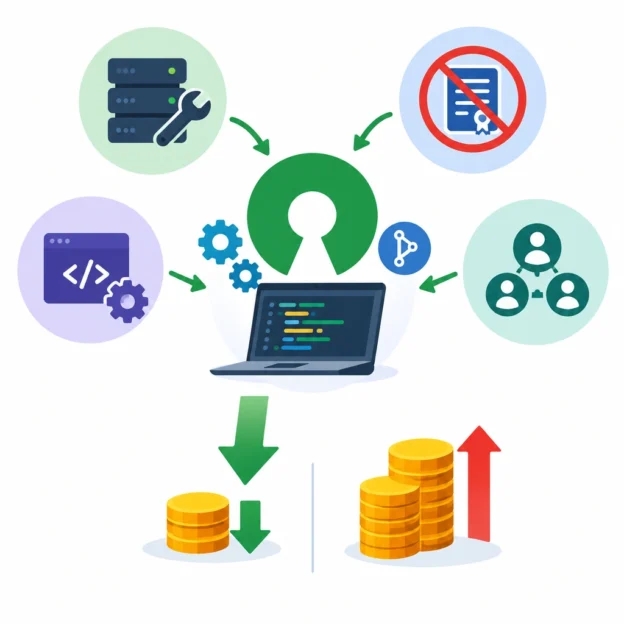
Technology costs can sneak up on a business. Licensing fees, infrastructure bills, support contracts, and upgrades may each seem manageable on their own, but together they can take a substantial bite out of the budget. Open source software offers one way to keep those expenses in check—not by making technology free in every sense, but by giving organizations more choices about how they buy, use, and maintain it.

Open source software is built around publicly available source code that users can inspect, modify, and share under the terms of a license. Popular examples include Linux, PostgreSQL, and Kubernetes. Many organizations use open source tools alongside commercial products, while others build much of their technology stack with them.

Lower licensing costs

The most immediate potential savings come from software licensing. Many open source applications can be used without paying a per-user or per-server license fee. That can make a significant difference as a company grows: adding employees or expanding a service may not trigger the same jump in software costs.

Consider a business that needs a database for a growing application. A commercial database might charge based on processor capacity, users, or other usage measures. An open source option may avoid those license charges, leaving the company with more room in its budget.

Still, “no license fee” doesn’t mean “no cost.” A business may spend money on installation, hosting, customization, training, security, and support. The useful comparison is the total cost of ownership—not just the price listed on a vendor’s invoice.

More control over infrastructure

Open source tools can give organizations flexibility in where and how they run their systems. Depending on the software and the organization’s needs, it may be possible to run a workload in a public cloud, on a company’s own servers, or in a hybrid environment.

That flexibility can help businesses avoid relying too heavily on one provider’s pricing or platform. If costs rise or requirements change, teams may have more options to move, adjust, or replace parts of their systems. Open standards and widely used tools can also make it easier to connect different products without paying for a single vendor’s complete ecosystem.

The savings aren’t automatic, though. Moving applications between platforms takes planning, and poorly managed infrastructure can become expensive regardless of the software used.

Extending the life of existing technology

Organizations don’t always need to replace a system to improve it. Open source software may help teams maintain older applications, automate routine tasks, or add useful features without purchasing a new, all-in-one product.

For example, a small operations team might use open source monitoring tools to track system health and spot problems sooner. Catching a failing service early can reduce downtime, emergency work, and lost sales. In this case, the financial benefit comes not only from avoiding license fees, but from running the business more efficiently.

A large community can be another asset. Users share documentation, tutorials, and solutions to common problems, which may help teams resolve issues without immediately turning to paid consultants. For critical systems, however, community resources may not replace the predictable response times or accountability of a professional support agreement.

Avoiding expensive vendor lock-in

With some proprietary platforms, switching providers can be difficult because data, workflows, or applications are closely tied to one vendor’s tools. That dependency can limit negotiating power and make future changes costly.

Open source software can reduce this risk when it uses open formats and interfaces. Teams may be able to adapt the code, choose a different service provider, or bring support in-house. This doesn’t eliminate every switching cost, but it can give businesses more leverage and reduce the chance that a single supplier dictates the terms.

Budget for people, security, and support

Open source works best when organizations treat it as a long-term operational choice, not a shortcut to free technology. Teams still need someone to evaluate software licenses, apply security updates, manage backups, and monitor performance. Some projects offer commercial support, while others rely more heavily on community-maintained resources.

A sensible first step is to choose a well-established tool for a specific need, then estimate all related costs: staff time, hosting, migration, training, maintenance, and support. A small pilot can reveal whether the software fits the team’s skills and existing systems before it becomes part of a critical workflow.

Open source software can reduce operational costs by lowering licensing expenses, increasing flexibility, and helping teams make more of the technology they already have. Its greatest value, however, comes from having choices. When organizations weigh the full costs and invest in the skills to manage their tools well, open source can be less a bargain-bin alternative and more a practical foundation for sustainable operations.
Encouraging Team Collaboration Through Open Source Solutions

Encouraging Team Collaboration Through Open Source Solutions

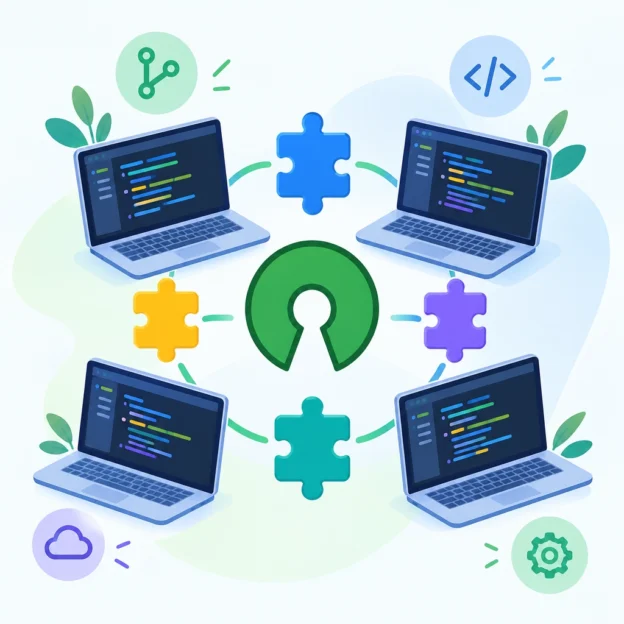
Great teamwork rarely happens by accident. People need ways to share ideas, coordinate tasks, and see how their work fits into a bigger picture. Open source solutions can make that easier—not just because many are free to use, but because they’re built around transparency, participation, and shared improvement.

That doesn’t mean installing an open source tool will magically fix communication. The real advantage comes from choosing tools that support the way your team wants to work—and creating an environment where people feel comfortable contributing.

Make work visible

Collaboration tends to improve when everyone can understand what’s happening. Open source project-management platforms such as OpenProject and Taiga help teams organize tasks, assign responsibilities, and track progress in a shared space.

When plans are visible, fewer details get lost in private messages or long email threads. Team members can check deadlines, spot potential bottlenecks, and understand how their work connects to other people’s contributions. That shared view is especially valuable for remote and cross-functional teams, where it’s easy to lose track of who is doing what.

The key is to keep the system simple. A tool packed with unused features can become another source of friction. Agree on a few basics—where tasks live, how progress is updated, and what different status labels mean—and make those habits part of the team’s routine.

Give conversations a shared home

Good ideas often emerge in discussion, but they’re difficult to act on if they disappear into chat histories. Open source communication tools such as Matrix can give teams a flexible place for ongoing conversations, while platforms like Mattermost offer channels organized around projects or topics.

Clear spaces make it easier for people to find the right conversation and contribute when they’re ready. They also help reduce the feeling that every message requires an immediate response. Teams can set expectations about which channels are for urgent requests, where project decisions should be recorded, and when a meeting is actually necessary.

A useful rule: if a decision matters, write it down somewhere the whole team can find it. Conversations are for exploring ideas; a shared record helps turn those ideas into action.

Encourage participation, not just access

Open source software has a collaborative spirit built into its development. Users can often report issues, suggest improvements, and—in some cases—contribute code or documentation. Teams can borrow that spirit internally by inviting people to help shape the tools and processes they use.

For example, create a shared space for suggestions, then review them regularly. Ask quieter team members for feedback in writing, where they may feel more comfortable speaking up. Recognize useful contributions, whether they involve fixing a technical problem, improving a guide, or helping a colleague get unstuck.

Participation shouldn’t mean everyone has to become a developer. A well-written bug report, a thoughtful discussion, or a clearer onboarding document can all make a meaningful difference.

Choose tools with care

Open source solutions can offer flexibility, customization, and greater control over data. But they may also require technical setup, maintenance, or internal support. Before adopting a platform, consider who will administer it, how updates will be handled, and whether it works well with the team’s existing tools.

It’s also worth checking accessibility, security requirements, and the experience of people who will use it every day. A solution is only collaborative if it’s practical for the whole team—not just the people who enjoy testing new software.

Start with a real need rather than a technology trend. Pilot one tool with a small group, ask what’s working, and adjust before expanding it across the organization. A gradual rollout gives people time to learn and helps uncover problems early.

Build habits around the tools

The strongest collaboration doesn’t come from software alone. It grows through shared habits: documenting decisions, offering constructive feedback, welcoming different perspectives, and making it safe to ask for help.

Open source tools can support those habits by making work more transparent and giving people more ways to contribute. When a team chooses them thoughtfully, the result is more than a new platform. It’s a clearer, more inclusive way of working—one where people can see what’s happening, add their ideas, and help improve the work they share.

How to Protect Your Business While Using Open Source Software

How to Protect Your Business While Using Open Source Software

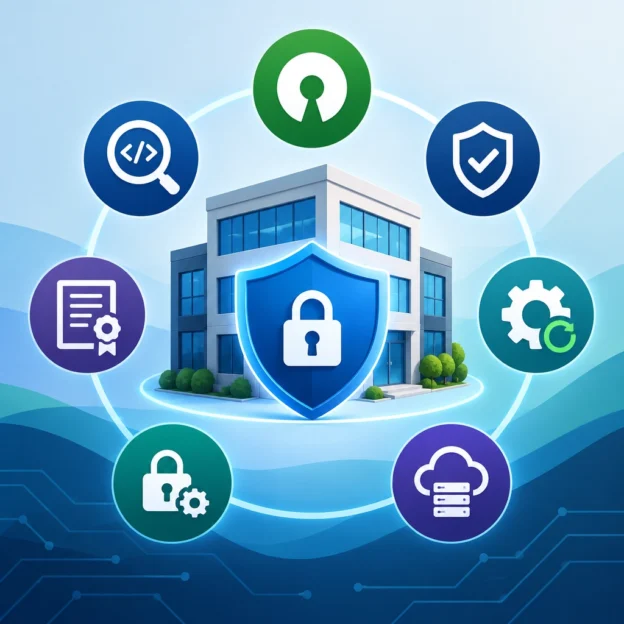
Open source software powers everything from websites and payment systems to internal business tools. It can help companies move quickly, keep costs down, and build on technology that has already been tested by a large community. But “open source” doesn’t mean “risk-free”—or that someone else is automatically responsible for keeping it secure.

The good news is that a few practical habits can help you enjoy the benefits while reducing the risks.

Know what you’re using

It’s hard to protect software you can’t see. Start by keeping an up-to-date inventory of the open source components used in your products, websites, and internal systems. Include the version, where it’s used, and who maintains it.

This matters because a single application may rely on dozens or even hundreds of third-party packages. If one develops a security issue, you’ll need to know whether your business is affected. Software composition analysis tools can help identify components and flag known vulnerabilities. For more mature development teams, a software bill of materials (SBOM) provides a structured list of what’s included in a product.

Don’t overlook components added through indirect dependencies. A package you chose may rely on several others behind the scenes.

Choose projects carefully

Before adopting a library or tool, take a moment to evaluate its health. Is it actively maintained? Are security issues addressed promptly? Does it have clear documentation, a license, and a reliable way to report vulnerabilities?

Popularity can be a useful signal, but it isn’t a guarantee of safety. A widely used project can still have serious flaws, while a smaller project may be well maintained. Look for evidence of recent releases, responsive maintainers, and a transparent security process.

Also consider what happens if the project is abandoned. Could you switch to an alternative? Would your team be able to maintain a necessary fork? Having a backup plan is especially important for software that supports a critical business function.

Keep dependencies updated

Outdated software is one of the most common routes to a security problem. Make dependency updates part of routine maintenance rather than something you tackle only after hearing about a major vulnerability.

Automated alerts can make this easier, but updates should still be tested before they reach production. Set a process for prioritizing security fixes, especially when a vulnerability is actively exploited or affects an internet-facing system. For higher-risk components, define who reviews alerts and how quickly they need to respond.

Updates can introduce compatibility problems, so use automated tests and a staging environment where possible. The aim isn’t to install every new release without thought; it’s to avoid letting known risks linger because no one owns the update process.

Protect the way you build and deploy

Even secure components can become dangerous if they enter your systems through a compromised package or an unsafe development process. Limit who can add dependencies, and use trusted package registries and repositories. Where supported, verify package signatures or other integrity checks.

Keep development, testing, and production environments separate. Store credentials in a secure secrets manager instead of placing them in source code, and give applications only the access they need. These measures reduce the damage a compromised package—or a simple mistake—can cause.

It’s also wise to scan code and dependencies during development and before release. Security checks are most useful when they fit into normal workflows, so developers can address issues early instead of facing a long list of surprises just before launch.

Understand licenses and obligations

Security isn’t the only business concern. Open source licenses come with different terms, and some may affect how you distribute software or share modifications. Make sure your team understands the licenses attached to the components it uses, especially in commercial products.

A license review process can help prevent last-minute delays and legal confusion. When a project’s terms are unclear or a component is essential to your product, ask qualified legal counsel rather than relying on assumptions.

Make security a shared responsibility

Open source software is maintained by communities, but protecting your business is your responsibility. Give someone ownership of dependency management, define a way to handle vulnerability reports, and make sure developers know how to raise concerns.

The goal isn’t to avoid open source. It’s to use it deliberately: know what’s in your systems, keep it maintained, and plan for problems before they happen. With a little structure, open source can remain a source of flexibility and innovation without becoming an unseen risk to your business.

The Importance of Documentation in Open Source Development

The Importance of Documentation in Open Source Development

Open source software is built on a simple idea: make code available so people can use it, learn from it, and improve it together. But shared code alone doesn’t make a project easy to join. Contributors also need to understand what the software does, how to get it running, and how to take part. That’s where documentation makes all the difference.

Good documentation turns a repository from a collection of files into a usable project. It helps newcomers get started, supports experienced contributors, and gives users a clear path when they have questions.

Documentation is the front door

For many people, the README is their first encounter with a project. They want to know what it does, whether it fits their needs, and how to install it. If those answers are missing or unclear, they may move on—even if the software itself is excellent.

A helpful README usually explains the project’s purpose, basic installation steps, a simple example, and where to find further information. It should also say how people can report bugs or contribute. These details save time and help visitors decide what to do next.

The goal isn’t to explain everything in one place. It’s to make the first steps clear and point readers toward the right resources.

Clear instructions make contribution easier

Open source projects depend on people with different backgrounds and levels of experience. A contributor may be an expert in the codebase—or someone making their first pull request. Both benefit from clear guidance.

Contribution documentation can explain how to set up a development environment, run tests, follow coding conventions, and submit changes. It can also clarify how maintainers review contributions and what kinds of help the project needs.

When that information is easy to find, contributors can focus on useful work instead of guessing about project norms. It also reduces the burden on maintainers, who might otherwise answer the same setup questions repeatedly.

Importantly, welcoming language matters. A sentence that says “good first issues are available” can help someone feel invited to participate. Documentation doesn’t just explain a process; it can signal who belongs in the community.

Good docs support better software

Documentation isn’t separate from development. Writing down how a feature should behave can expose unanswered questions or inconsistent assumptions. Documenting an API may reveal confusing names or unexpected behavior. A setup guide that’s difficult to write may point to a setup process that’s difficult to use.

In this way, documentation can improve the software itself. It encourages teams to think through how users will interact with a project, not just how the code works internally.

Docs also help preserve knowledge. Open source maintainers often change roles, and contributors may come and go. Without written context, important decisions can disappear into old chat messages or the memory of a few people. Notes about architecture, release procedures, and design choices make a project more resilient over time.

Documentation must stay current

Outdated documentation can be worse than no documentation. A command that no longer works or an example that uses a removed feature can frustrate users and weaken trust.

Keeping docs accurate takes regular attention. When a change affects installation, configuration, commands, or behavior, the related documentation should be reviewed as part of the same update. Some projects include documentation checks in code review or automate checks for broken links and examples.

Perfect documentation isn’t realistic, especially for volunteer-run projects. A useful starting point is to prioritize the information people need most: installation, common tasks, known limitations, and contribution steps. Small, accurate improvements are more valuable than a large guide that nobody maintains.

Make documentation part of the project

Documentation works best when it’s treated as a shared responsibility, not a final task to tackle after the “real work” is done. Maintainers can make docs easier to update by keeping them close to the code, accepting documentation-only contributions, and welcoming questions that reveal gaps.

Users and contributors can help, too. Fixing a typo, clarifying one confusing instruction, or adding a missing example can make a project more approachable for the next person.

At its best, documentation gives an open source project a longer reach. It helps people use the software, understand its choices, and contribute with confidence. Code makes a project possible; clear documentation helps a community build on it together.

Understanding Open Source Licenses: A Guide for Entrepreneurs

Understanding Open Source Licenses: A Guide for Entrepreneurs

Open source software can help a young business move faster, keep costs down, and build on tools that have already been tested by a large community. But “open source” doesn’t mean “no rules.” Every open source project comes with a license, and that license sets conditions for how you can use, modify, and share the software.

For entrepreneurs, understanding those conditions early can prevent frustrating surprises later—especially when a product is growing, attracting customers, or preparing for investment.

What an open source license actually does

A software license is a set of permissions and obligations. It tells you what you’re allowed to do with the code and what you must do in return. Depending on the license, you may need to include copyright notices, provide a copy of the license, or share changes when you distribute the software.

The details matter because “using” software can mean different things. You might run it internally, include it in a downloadable app, or offer it as part of a hosted service. A license may treat these situations differently.

Two broad license families

Open source licenses are often grouped into permissive and copyleft licenses.

Permissive licenses generally give businesses broad flexibility. The MIT and Apache 2.0 licenses are common examples. They typically allow you to use, modify, and distribute the software—including in commercial products—while requiring you to preserve certain notices. Apache 2.0 also includes express patent-related provisions, which may be relevant for technology companies.

Copyleft licenses aim to keep derivative software available under similar terms. The GNU General Public License (GPL), for example, can require that distributed derivative works be licensed under the GPL and that recipients have access to the corresponding source code. The GNU Affero General Public License (AGPL) includes conditions that can apply when users interact with modified software over a network.

That doesn’t make copyleft licenses “bad” for business. They can be a good fit when a company wants improvements to remain open. The key is knowing what obligations might apply to your product and how the software is being used.

Common misconceptions to avoid

One frequent mistake is assuming that software is free of obligations because it costs nothing. Price and licensing are separate: free-to-download code can still have conditions.

Another is assuming that changing a few lines eliminates license requirements. Whether your work counts as a derivative work can depend on the facts and applicable law; a small edit doesn’t automatically settle the question.

It’s also risky to treat all open source licenses as interchangeable. A project may include code under several licenses, and dependencies can bring their own terms. Even a tool used only in your development process may come with different considerations from a library included in the product you distribute.

Build a simple license review into your workflow

You don’t need a large legal department to start managing open source thoughtfully. A few practical habits can make a difference:

  1. Track your dependencies. Keep an up-to-date list of the open source packages your product uses, including versions and license information.
  2. Review before adoption. Check the project’s license before adding a new library, particularly if it will be distributed with your product or used in a hosted service.
  3. Keep required notices. Store license texts and copyright notices where your team can find them, and include them in distributions when required.
  4. Set a policy for uncertain cases. Decide who evaluates unfamiliar or potentially restrictive licenses. Avoid leaving the question to a rushed engineer just before launch.
  5. Recheck as your business changes. A component used internally today may become part of a customer-facing product tomorrow. Acquisitions, new distribution models, and product changes can also shift the picture.

Automated software-composition analysis tools can help identify dependencies and flag license information, but they’re not a substitute for reviewing the terms. They can miss context, unusual exceptions, or licensing information that’s incomplete.

Make licensing part of product planning

Open source is not just a legal concern; it can affect product architecture and business strategy. A team may choose a permissively licensed library for a proprietary product, contribute fixes back to a community project, or avoid a component whose obligations don’t fit the company’s plans.

When the stakes are significant—such as preparing for investment, acquiring a company, or launching a product built around copyleft software—consult a lawyer familiar with software licensing. A short conversation early on is often easier than sorting out a licensing issue under pressure.

Open source works best when entrepreneurs treat it as both a resource and a relationship. Understanding the license helps you use the software confidently, respect the people who created it, and build a business that can grow without unexpected hurdles.

The Rise of Cloud-Based Open Source Solutions for Businesses

The Rise of Cloud-Based Open Source Solutions for Businesses

Not long ago, businesses often faced a choice between convenience and control. Commercial software offered polished support and easy deployment, while open source promised flexibility—but could require in-house expertise and significant setup. Cloud-based open source solutions are changing that equation.

By combining freely available software with cloud infrastructure, businesses can use tools that are adaptable, scalable, and easier to access than ever. From customer relationship management and analytics to development platforms and data storage, this shift is reshaping how organizations choose and manage technology.

Why the combination is gaining momentum

Open source software gives users access to its underlying code. That means businesses can inspect how a tool works, tailor it to specific needs, and avoid being locked into a single vendor’s product roadmap. But managing software—installing updates, maintaining servers, and keeping systems secure—can be demanding.

Cloud services help ease those burdens. Instead of purchasing and managing all the hardware themselves, businesses can run applications on infrastructure provided over the internet. Some providers even offer managed versions of open source tools, handling routine maintenance while leaving customers with many of the customization options.

The appeal is especially clear for growing companies. They can start small, then add computing power, storage, or users as demand increases. They also avoid some of the upfront costs associated with building a large in-house technology environment.

More flexibility, less vendor lock-in

A major advantage of open source is the freedom to adapt. A retailer might customize an inventory system to suit its supply chain, while a software company could modify a development platform to fit its workflow. Businesses aren’t limited to the features a single vendor chooses to provide.

Open standards and widely used open source tools can also make it easier to move data or workloads between environments. That doesn’t automatically eliminate vendor lock-in—cloud providers may offer proprietary features that are difficult to replace—but it can give organizations more options than a closed system would.

This flexibility is valuable as business needs change. Companies can experiment with new tools, connect different systems, or build specialized applications without always starting from scratch.

A boost for innovation

Cloud-based open source solutions can also help teams move faster. Developers can draw on established projects and communities rather than building every component themselves. Cloud access makes it easier for distributed teams to collaborate, test ideas, and launch services without waiting for new hardware.

The result can be a shorter path from concept to product. A small business, for example, might use open source analytics and a cloud-hosted database to learn more about customer behavior—without investing in a large data center or a fully custom platform.

Open source communities play a role here, too. They often share fixes, documentation, and improvements that benefit users across industries. Businesses can contribute changes back to a project, helping shape tools they rely on.

The trade-offs businesses need to consider

“Open source” doesn’t mean “free of cost.” Even when there are no licensing fees, businesses still need to account for hosting, implementation, training, support, and ongoing maintenance. Managed services can reduce the workload, but they may come with their own pricing and limitations.

Security requires careful attention as well. Publicly available code can be reviewed by many people, which may help vulnerabilities get spotted and fixed. But organizations still need to choose reputable projects, apply updates promptly, manage permissions, and protect sensitive data. Responsibility is shared among software maintainers, cloud providers, and the business using the tools.

Support is another consideration. Some projects have strong communities and commercial support options; others may be less active. Before committing, companies should check a project’s documentation, update history, user community, and long-term viability.

Choosing the right approach

The best solution depends on what a business is trying to accomplish. Teams should weigh customization against ease of use, compare the total cost of ownership rather than just the license price, and clarify who will handle upgrades, backups, and security.

It’s often sensible to begin with a limited pilot. A small trial can reveal whether the software fits existing workflows and whether the organization has the skills to manage it. Businesses should also plan how they would export data or move to another provider if their needs change.

Cloud-based open source solutions aren’t a universal fix, but they offer a compelling middle ground: the adaptability of open source with much of the accessibility of the cloud. For businesses willing to plan carefully, they can turn technology from a fixed expense into a flexible foundation—one that grows and changes alongside the organization.

Exploring User-Centric Design in Open Source Software Projects

Exploring User-Centric Design in Open Source Software Projects

Open source software is built in public: people can inspect the code, suggest changes, and help shape what comes next. But visible code isn’t the whole story. A project can be technically impressive and still leave people confused about how to install it, use it, or ask for help.

That’s where user-centric design matters. It means making decisions with the people who use a project in mind—not just the people who build it. In open source, those users might be developers, designers, researchers, educators, or someone trying the software for the first time. Their needs and levels of experience can vary widely.

More than a polished interface

User-centric design is often mistaken for visual design alone. A clean interface can help, but the experience begins much earlier: with finding the project, understanding what it does, and deciding whether it fits a particular need.

A newcomer might ask: Is this software maintained? Which version should I download? What happens to my data? A clear project description, current installation instructions, and honest information about limitations can answer these questions before a user ever opens the application.

Once they begin using it, small details matter. Are error messages understandable? Can users recover from a mistake? Do the defaults make sense? These are design questions, even when the answers involve documentation, command-line behavior, or project policies rather than a graphical interface.

Open source has a built-in advantage

Because open source development happens in the open, projects have many opportunities to learn from users. Issue trackers, discussion forums, community chats, and user-contributed documentation can reveal where people get stuck or what they need most.

But feedback doesn’t arrive in a neat, balanced package. People who are comfortable filing detailed bug reports may be overrepresented, while beginners or users with less time may simply leave. A flurry of feature requests can also distract from a basic problem, such as confusing setup instructions.

Listening well means looking for patterns, not just counting requests. If several people independently ask how to complete the same task, that may signal a usability gap. If users repeatedly misunderstand a feature, the project may need clearer language or a different default—not necessarily more functionality.

Make contributing welcoming, too

A user-friendly project is easier to contribute to. That starts with practical basics: a clear “getting started” guide, a contribution guide, and a Code of Conduct that explains how people are expected to treat one another.

The tone of community interactions matters just as much. A terse response to a beginner’s question can discourage future participation, even if the technical answer is correct. Friendly, specific guidance helps people learn and makes the project more resilient by welcoming contributors with different skills.

Not everyone can contribute code. Users might improve translations, test a release, report an accessibility issue, write a tutorial, or help another newcomer in a forum. Recognizing these contributions broadens the project’s understanding of its audience—and gives more people a meaningful way to take part.

Accessibility is part of usability

Designing for a wider range of users also means considering accessibility. For a web interface, that might involve keyboard navigation, readable contrast, captions, and compatibility with screen readers. For a command-line tool, it could mean clear output, sensible error handling, and not relying on color alone to communicate important information.

Accessibility improvements often benefit everyone. Keyboard shortcuts help experienced users move faster. Clear labels help people who are tired, distracted, or working in a second language. Plain-language documentation makes complicated tools less intimidating.

Projects don’t need to solve everything at once. Starting with a few common tasks—such as making a key workflow usable without a mouse or reviewing whether error messages explain what to do next—can lead to meaningful progress.

Turn good intentions into habits

User-centric design doesn’t require a large research team or a complete redesign. It can begin with simple, ongoing practices:

  • Ask users what they are trying to accomplish, not only which feature they want.
  • Test installation and common workflows with someone unfamiliar with the project.
  • Review support questions for recurring points of confusion.
  • Include accessibility and documentation work in project planning.
  • Explain design decisions, especially when a requested change isn’t feasible.

Most importantly, treat usability as part of quality, not as a finishing touch. Every release, tutorial, support response, and community interaction shapes how people experience a project.

Open source thrives when more people can use it, understand it, and contribute to it. Keeping those people in view doesn’t diminish the technical ambition of a project; it helps that ambition reach further.

Building a Robust Open Source Software Ecosystem

Building a Robust Open Source Software Ecosystem

Open source software powers much of the digital world, from the tools developers use every day to the infrastructure behind major online services. But a healthy ecosystem doesn’t appear simply because code is available on the internet. It depends on people, institutions, and practices that help projects remain useful, secure, and welcoming over time.

Building that ecosystem is a shared effort. Maintainers write and review code, users report problems, companies provide funding and expertise, and communities help newcomers find their place. When these contributions work together, open source can become more than a collection of repositories—it can become a durable foundation for innovation.

Make projects easier to join

A project’s first interaction with a potential contributor often happens before they write a single line of code. They may read the README, look for installation instructions, or try to understand how to report a bug. If those steps are confusing, even an enthusiastic newcomer may move on.

Clear documentation lowers the barrier to participation. A good project explains what it does, how to get started, where to ask questions, and what kinds of contributions are welcome. Contribution guides, issue templates, and a small list of beginner-friendly tasks can turn uncertainty into a practical next step.

Just as importantly, projects need to treat people well. Respectful communication and predictable review practices make it easier for contributors to stay involved. Communities don’t need to be perfect, but they should have clear expectations for conduct and a fair way to address problems.

Support maintainers, not just code

Many open source projects rely on a small number of maintainers who handle everything from reviewing pull requests to answering user questions. That work can become overwhelming, especially when a project is widely used but receives little direct support.

A stronger ecosystem recognizes maintenance as ongoing work. Organizations that depend on open source can contribute by sponsoring maintainers, funding foundations, paying employees to work on shared projects, or helping with tasks such as testing, documentation, and security reviews. These contributions don’t all need to be large. Consistent support can be more valuable than a one-time donation.

Companies can also make their involvement more sustainable by avoiding a “use it for free and ask for favors” approach. If a project is important to a business, that business should consider contributing resources in proportion to its reliance on the project.

Treat security as a shared responsibility

Open source transparency makes it possible for many people to inspect code, but visibility alone doesn’t guarantee security. Vulnerabilities still need to be found, reported responsibly, fixed, and communicated to users. Dependencies must be tracked, and releases need reliable processes.

Project teams can strengthen security by adopting practices that fit their size and risk level: automated testing, dependency checks, clear vulnerability-reporting instructions, and signed or otherwise verifiable releases. Larger projects may benefit from independent audits and dedicated security teams.

The wider community has a role here, too. Organizations should keep track of the open source components they use and be prepared to help maintain them. Security is not a task that can be handed off entirely to volunteers after a flaw is discovered.

Build for continuity

A project’s long-term health depends on more than its current roadmap. What happens if its main maintainer steps away? Can someone else make a release, review changes, or access essential project accounts?

Shared ownership, documented release procedures, and more than one trusted maintainer help reduce these risks. So does making project decisions in public, where future contributors can understand why choices were made. These habits may seem modest, but they can make the difference between a project that survives a leadership change and one that quietly stalls.

Interoperability matters as well. Projects that follow common standards and work well with other tools give users more flexibility and reduce dependence on any single vendor or community.

Measure success by community health

Downloads and stars can show that a project is popular, but they don’t reveal whether it is sustainable. A more useful picture includes the number of active maintainers, how quickly contributions receive attention, whether security issues are handled responsibly, and whether newcomers can participate.

The goal isn’t to turn every project into a large organization. Some tools are intentionally small, and that can be healthy. The point is to match expectations and support to the project’s real role. A widely relied-on component may need more formal governance and funding than a personal utility.

A robust open source ecosystem is built one practical choice at a time: clear documentation, fair collaboration, reliable funding, careful security work, and plans for continuity. When users and organizations contribute as thoughtfully as maintainers do, open source becomes more resilient—and everyone who depends on it benefits.

The Ethics of Software Freedom in the Age of Proprietary Solutions

The Ethics of Software Freedom in the Age of Proprietary Solutions

Most of us use proprietary software every day without giving it much thought. We send messages through platforms we can’t inspect, save documents in formats controlled by a single company, and rely on apps that may change their rules overnight. The convenience is real—and so are the questions those arrangements raise.

Software freedom is about more than whether a program is free of charge. It concerns whether people can understand, use, modify, and share the tools they depend on. That principle becomes especially important as software increasingly mediates our work, relationships, finances, and access to information.

Convenience has a cost

Proprietary software can be polished, reliable, and easy to use. A company may invest heavily in design, support, security, and features that would be difficult for a volunteer-led project to provide. For many people and organizations, choosing a familiar commercial product is a practical decision, not an ethical failure.

But convenience can come with trade-offs. A service may collect more personal data than users expect, limit how they can export their work, or change its pricing and features without meaningful input from its customers. When a tool becomes essential, leaving it may be difficult—even if its policies no longer match what users want.

This is sometimes called vendor lock-in: the more of your work, communication, or infrastructure tied to one provider, the more costly it becomes to switch. The ethical issue isn’t simply that a company owns its software. It’s that users can become dependent on decisions they have little power to shape.

Freedom is a matter of control

Open-source and free-software projects offer a different model. Their code is available for people to inspect, adapt, and share under specific licenses. That openness can support transparency, collaboration, and long-term access. If a developer abandons a useful project, others may be able to continue it. If an organization needs a feature, it can sometimes build or commission the change itself.

Still, open-source software is not automatically ethical or secure. Public code can contain vulnerabilities, and a project’s maintainers may have too little time or funding to address them. Nor does access to source code guarantee that everyday users can meaningfully influence how a tool is built. Freedom on paper is most valuable when people also have the resources, skills, and support to use it.

That distinction matters. A small nonprofit may technically be free to migrate to an open-source platform, but lack the staff to manage the transition. A school may want to reduce dependence on a vendor yet still need dependable technical support. Ethical choices should account for those realities rather than treating every user as if they had the same options.

The people behind the software

There is also a human cost hidden in debates about “free” software. Many widely used open-source projects rely on a handful of maintainers, often working without adequate pay. Companies may benefit from their work while contributing little in return. Celebrating software freedom while ignoring the labor that sustains it is a contradiction.

Supporting freedom can mean choosing open tools where they fit. It can also mean funding maintainers, paying for professional support, contributing documentation, or encouraging employers to give staff time for community projects. Freedom is not maintained by good intentions alone; it takes care and resources.

Meanwhile, proprietary companies can act responsibly, too. Clear privacy policies, accessible pricing, strong security practices, data portability, and honest communication can give customers more agency—even when the underlying code remains closed.

Making better choices

No one needs to replace every app at once. A more useful starting point is to ask a few practical questions: Can I export my data in a usable format? What information does this tool collect? What happens if the service closes or changes its terms? Is there a viable alternative, and would switching be realistic for me?

The answers can help people and organizations make deliberate choices rather than defaulting to whatever is most popular. Sometimes the best option will be a commercial product. Sometimes it will be an open alternative. Often, it will be a mix.

Software freedom isn’t a demand for purity. It’s a reminder that the tools we rely on shape who has power, who carries risk, and who gets a say. In an age when software touches nearly every part of life, choosing tools thoughtfully—and supporting the people who build them—is one way to make that power a little more visible and shared.

How to Successfully Migrate to Open Source Software

How to Successfully Migrate to Open Source Software

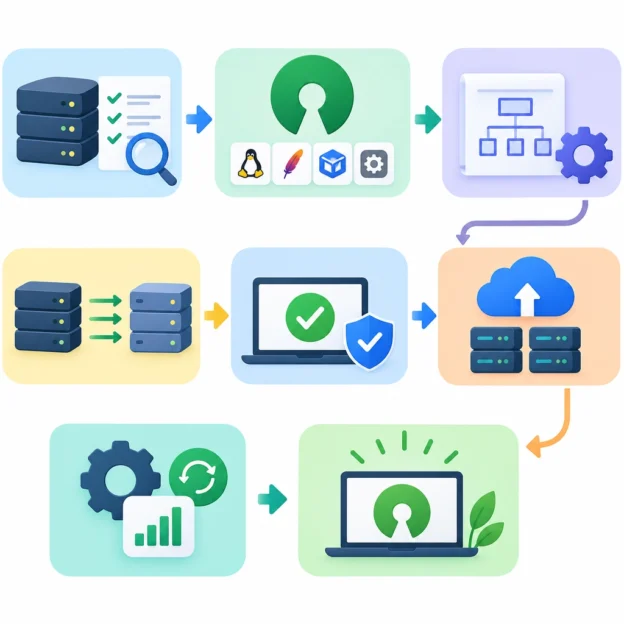
Moving to open source software can bring greater flexibility, lower licensing costs, and more control over your technology. But a successful migration is about more than choosing a popular tool and installing it. It takes planning, testing, and support for the people who will use it.

Here’s how to make the transition smoother—and avoid turning a promising change into a frustrating one.

Start with the problem, not the product

Before comparing open source options, identify what you want to improve. Are licensing costs rising? Is your current software difficult to customize? Do you want to avoid dependence on a single vendor, or make your systems easier to inspect and adapt?

Write down the features you genuinely need, as well as the ones that would simply be nice to have. This helps prevent a common mistake: selecting software because it is widely discussed, then discovering that it does not fit your organization’s day-to-day work.

Also consider the full cost of ownership. Open source software may have no license fee, but migration, hosting, support, training, and maintenance can all require time and money.

Choose software with care

A strong project is more than a promising feature list. Look for signs that it is actively maintained and used by a healthy community. Check when updates were last released, how quickly security issues are addressed, and whether documentation is clear and current.

It’s also worth reviewing:

  • Compatibility: Will the software work with your existing devices, systems, and file formats?
  • Support options: Is there a professional support provider, or will your team rely on community forums?
  • Security practices: How are vulnerabilities reported and fixed?
  • Licensing: Do the license terms suit how you plan to use, modify, or distribute the software?
  • Exit options: Can you export your data in a usable format if your needs change?

Open source does not automatically mean “free of risk.” A thoughtful evaluation helps you understand both the benefits and the responsibilities.

Map out the migration

Treat the migration like a project, not a weekend experiment. Identify who is responsible for technical decisions, data transfer, testing, training, and communication. Set a realistic timeline with room for unexpected issues.

Before moving anything, take stock of your current setup. Document applications, integrations, user accounts, data formats, and workflows. Pay special attention to systems that depend on one another—an application may appear easy to replace until you discover that it feeds reports or automates a routine task.

Make backups before transferring data, and define how you’ll check that the migration worked. That might include confirming that records are complete, files open correctly, permissions are preserved, and key integrations still function.

Test with a pilot group

Rather than switching everyone at once, start with a small pilot. Choose a team or workflow that is important enough to give you meaningful feedback, but manageable enough to support closely.

Ask pilot users to try real tasks, not just explore the interface. Can they complete their usual work? What feels confusing? Which features are missing, and which old habits are no longer necessary?

Use what you learn to refine settings, documentation, and training before expanding the rollout. A pilot can reveal practical problems that a technical checklist misses—such as a confusing approval process or a file format that a partner cannot open.

Support the people behind the change

Even excellent software can struggle if users feel the change has been imposed on them. Explain why the organization is migrating, what will be different, and where people can get help. Be honest about trade-offs: a new tool may improve flexibility while requiring users to learn a different workflow.

Offer training in short, practical sessions. Quick-start guides, short videos, and internal help channels can be more useful than a single dense manual. Identify a few confident early adopters who can answer common questions and share tips with colleagues.

Keep the old system available briefly where possible, especially if users need time to retrieve information or adjust to new processes. Set a clear transition date so temporary overlap does not become permanent confusion.

Keep improving after launch

The migration is not finished when the software goes live. Monitor performance, security updates, user feedback, and support requests. Assign someone to keep the system maintained, review updates, and track any custom changes your organization has made.

It also helps to define what success looks like. You might measure reduced costs, fewer workflow bottlenecks, stronger data control, or user satisfaction. These measures show whether the migration is delivering the benefits you expected—and where further adjustments are needed.

Open source migration works best as a steady, collaborative change rather than a dramatic switch. Start with clear goals, test carefully, and give people the support to adapt. With that foundation in place, open source software can become not just a cheaper alternative, but a tool your organization understands and can shape for itself.