How to Successfully Migrate to Open Source Software
Moving to open source software can bring greater flexibility, lower licensing costs, and more control over your technology. But a successful migration is about more than choosing a popular tool and installing it. It takes planning, testing, and support for the people who will use it.
Here’s how to make the transition smoother—and avoid turning a promising change into a frustrating one.
Start with the problem, not the product
Before comparing open source options, identify what you want to improve. Are licensing costs rising? Is your current software difficult to customize? Do you want to avoid dependence on a single vendor, or make your systems easier to inspect and adapt?
Write down the features you genuinely need, as well as the ones that would simply be nice to have. This helps prevent a common mistake: selecting software because it is widely discussed, then discovering that it does not fit your organization’s day-to-day work.
Also consider the full cost of ownership. Open source software may have no license fee, but migration, hosting, support, training, and maintenance can all require time and money.
Choose software with care
A strong project is more than a promising feature list. Look for signs that it is actively maintained and used by a healthy community. Check when updates were last released, how quickly security issues are addressed, and whether documentation is clear and current.
It’s also worth reviewing:
- Compatibility: Will the software work with your existing devices, systems, and file formats?
- Support options: Is there a professional support provider, or will your team rely on community forums?
- Security practices: How are vulnerabilities reported and fixed?
- Licensing: Do the license terms suit how you plan to use, modify, or distribute the software?
- Exit options: Can you export your data in a usable format if your needs change?
Open source does not automatically mean “free of risk.” A thoughtful evaluation helps you understand both the benefits and the responsibilities.
Map out the migration
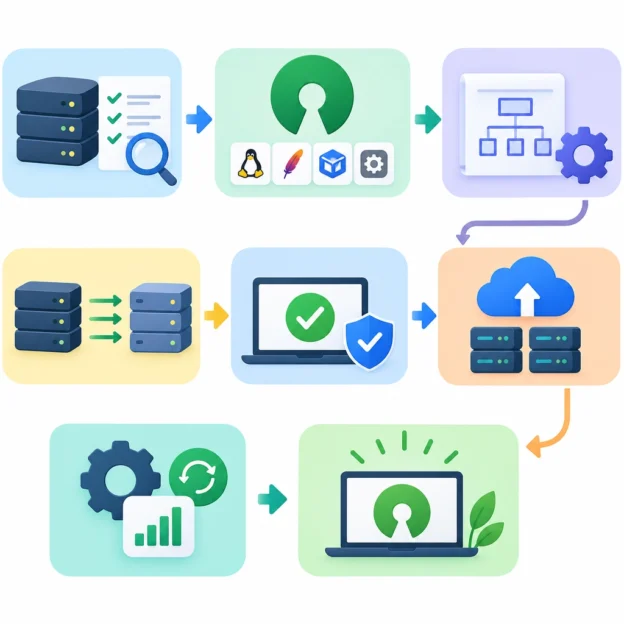
Treat the migration like a project, not a weekend experiment. Identify who is responsible for technical decisions, data transfer, testing, training, and communication. Set a realistic timeline with room for unexpected issues.
Before moving anything, take stock of your current setup. Document applications, integrations, user accounts, data formats, and workflows. Pay special attention to systems that depend on one another—an application may appear easy to replace until you discover that it feeds reports or automates a routine task.
Make backups before transferring data, and define how you’ll check that the migration worked. That might include confirming that records are complete, files open correctly, permissions are preserved, and key integrations still function.
Test with a pilot group
Rather than switching everyone at once, start with a small pilot. Choose a team or workflow that is important enough to give you meaningful feedback, but manageable enough to support closely.
Ask pilot users to try real tasks, not just explore the interface. Can they complete their usual work? What feels confusing? Which features are missing, and which old habits are no longer necessary?
Use what you learn to refine settings, documentation, and training before expanding the rollout. A pilot can reveal practical problems that a technical checklist misses—such as a confusing approval process or a file format that a partner cannot open.
Support the people behind the change
Even excellent software can struggle if users feel the change has been imposed on them. Explain why the organization is migrating, what will be different, and where people can get help. Be honest about trade-offs: a new tool may improve flexibility while requiring users to learn a different workflow.
Offer training in short, practical sessions. Quick-start guides, short videos, and internal help channels can be more useful than a single dense manual. Identify a few confident early adopters who can answer common questions and share tips with colleagues.
Keep the old system available briefly where possible, especially if users need time to retrieve information or adjust to new processes. Set a clear transition date so temporary overlap does not become permanent confusion.
Keep improving after launch
The migration is not finished when the software goes live. Monitor performance, security updates, user feedback, and support requests. Assign someone to keep the system maintained, review updates, and track any custom changes your organization has made.
It also helps to define what success looks like. You might measure reduced costs, fewer workflow bottlenecks, stronger data control, or user satisfaction. These measures show whether the migration is delivering the benefits you expected—and where further adjustments are needed.
Open source migration works best as a steady, collaborative change rather than a dramatic switch. Start with clear goals, test carefully, and give people the support to adapt. With that foundation in place, open source software can become not just a cheaper alternative, but a tool your organization understands and can shape for itself.