Tips for Selecting the Right Open Source Software for Your Business
In the ever-evolving landscape of technology, businesses are increasingly turning to open source software (OSS) as a flexible, cost-effective solution. Open source software is not just for tech startups or large enterprises—it’s a viable option for businesses of all sizes. However, navigating the vast ocean of open source options can be daunting. With thousands of tools available, how do you ensure you’re selecting the right one for your business needs? Here are some practical tips to help you make an informed decision.
1. Define Your Requirements
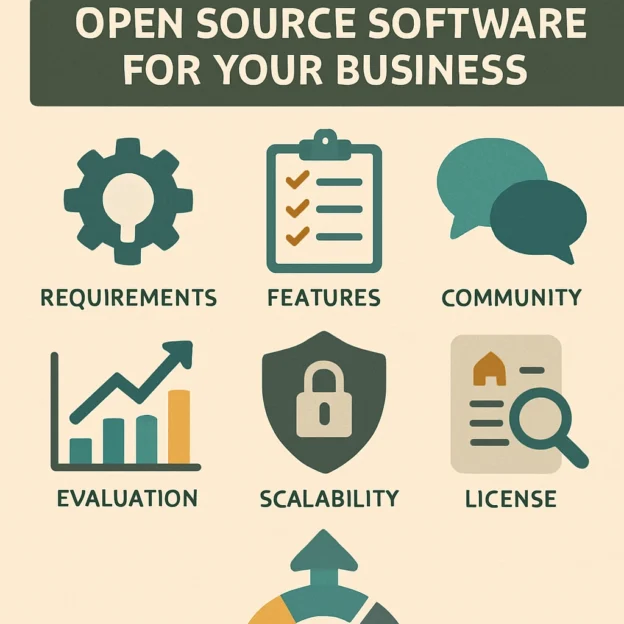
Before diving into the world of open source, take a step back and clearly define what you need. What specific problems are you looking to solve? Consider the functionality, scalability, and compatibility with your existing systems. Involve your team in this process—different departments may have different needs. A well-rounded list of requirements will enable you to narrow down your options more effectively.
2. Evaluate the Community Support
One of the key benefits of open source software is its community. A strong, active community can make a huge difference in troubleshooting issues and providing enhancements. Look for projects that have a vibrant community of contributors, regular updates, and active forums. Check out their GitHub repository and examine the level of engagement. Are issues addressed promptly? Is there a plethora of documentation available? A lively community can be invaluable when you need help down the road.
3. Assess Security Implications
Security is often a concern when considering open source software. While open source does allow anyone to inspect the code, this transparency can be both an advantage and a liability. Conduct a thorough security assessment: check for known vulnerabilities, understand how often updates are released, and see if there’s a clear process for reporting and addressing security issues. Additionally, ask if the software is utilized in similar businesses or sectors, as this can give you a good sense of its reliability.
4. Check Licensing
Open source software comes with various licenses (like MIT, GPL, and Apache), each with its own rules regarding usage, distribution, and modifications. Make sure to review the licensing agreements carefully. Some licenses may impose restrictions on how you can use the software, while others may be more permissive. Understanding these restrictions is crucial for compliance and can save you from potential legal headaches down the line.
5. Look at Long-Term Viability
When you find a piece of open source software that looks promising, it’s crucial to assess its longevity. Check the history of the project and its creators. Has it been around for a while? Is it regularly updated? If the developers shift their focus or the project goes inactive, you may find yourself in a lurch. Choose software with a sustainable path forward, whether that’s through corporate support, community engagement, or a steady stream of contributions.
6. Consider Integration Capabilities
Your new software needs to play nicely with the tools and systems you already use. Look for software that can easily integrate with existing applications in your tech stack. A product with robust APIs can serve as a bridge between different systems, making data sharing more manageable and minimizing disruption in your workflows.
7. Evaluate User Experience
Keep in mind that your team will be using this software daily, so user experience matters significantly. Find demos or trials to see how intuitive the interface is. User-friendly design increases productivity and adoption rates among your team members. Gather opinions from those who will be using the software regularly to determine if it meets their needs and preferences.
8. Budget for Hidden Costs
While open source software is typically free upfront, that doesn’t mean there aren’t costs involved. Consider potential expenses like training, support, and infrastructure changes needed to implement the software effectively. If you’re unsure, try to get a ballpark estimate from others who’ve implemented similar tools.
9. Start Small and Test
Finally, once you’ve done your research and narrowed down your options, start small. Implement the chosen software in a test environment or a specific department to evaluate its effectiveness. Monitor how well it meets your requirements and gauge feedback from users. This trial will give you vital insights before making a commitment across the organization.
Selecting the right open source software can significantly enhance productivity and efficiency within your business. By taking the time to understand your needs, evaluating community support, and keeping an eye on long-term viability, you can make an informed choice that suits your objectives. Remember, choosing software is not just about the features—it’s also about finding something that fits your team’s culture and workflow, ensuring everyone is on board with the changes ahead. In the world of open source, the perfect tool is out there waiting for you to discover it!