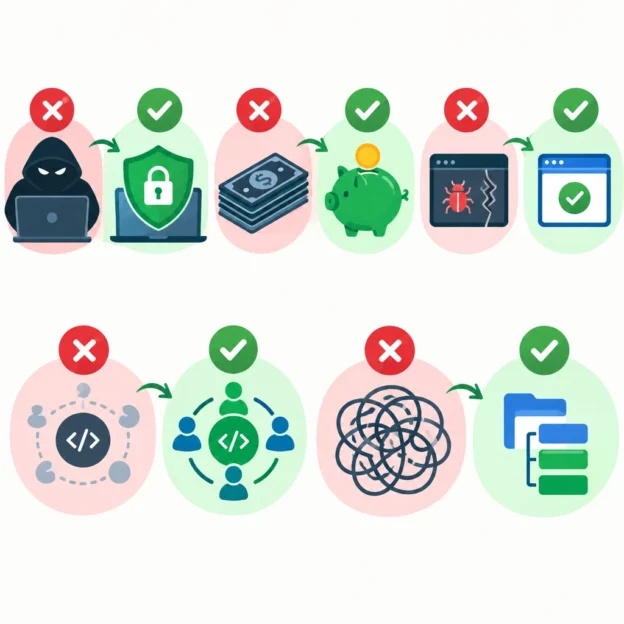
Top 5 Myths About Open Source Software Debunked
Open source software is everywhere—from the browser you use to the tools that help power major websites. Yet misconceptions still linger. Some people assume open source is risky, difficult to use, or only for people who can read code.
The reality is more nuanced. Here are five common myths about open source software—and what’s actually true.
Myth 1: “Open source means it’s free”
Often, yes—but “open source” doesn’t simply mean “costs nothing.” It describes software whose source code is available under a license that allows people to use, inspect, modify, and share it.
Many open source tools are free to download, but companies may charge for hosting, technical support, training, or premium features. For example, a business might use an open source platform at no charge while paying a provider to manage it.
It’s also possible for open source software to be sold. The key distinction is not the price; it’s the freedoms the license provides.
Myth 2: “Open source software is less secure”
It can be tempting to think that publicly visible code gives attackers an advantage. But keeping code secret doesn’t automatically make software safe. In fact, open source allows developers, security researchers, and users to inspect the code and report potential weaknesses.
That doesn’t mean every project is secure. Some are maintained by large teams with dedicated security processes, while others depend on a small number of volunteers. The important question is how actively a project is maintained and how it responds to security issues.
Before adopting a tool, check when it was last updated, whether reported vulnerabilities are addressed, and whether the project has clear security guidance. Openness creates the opportunity for scrutiny—but responsible maintenance still matters.
Myth 3: “You need to know how to code to use it”
Most people use open source software without ever looking at its code. The same is true of many popular everyday tools: you can install and use them just like proprietary apps.
Some projects are designed for technical users, but many offer friendly interfaces, documentation, tutorials, and community help. There are open source options for creative work, office tasks, communication, education, and more.
If a tool feels intimidating, try the basics first. You don’t need to understand how it was built to benefit from using it.
Myth 4: “Open source has no support”
A paid product may come with a help desk, but open source projects can have support too. Depending on the software, you might find detailed documentation, community forums, chat channels, user groups, or commercial support providers.
The experience varies. A small project may not offer immediate assistance, while a widely used one could have an active community and several companies specializing in support. It’s worth looking into these options before relying on a tool for important work.
For organizations, support can also be purchased directly from vendors that package or manage open source software. The code may be open, but the services around it don’t have to be free.
Myth 5: “Open source is only for hobbyists and startups”
Open source is used by organizations of every size, including large businesses, universities, nonprofits, and government agencies. It can help teams customize tools, avoid dependence on a single vendor, and build on work that already exists.
That doesn’t mean open source is automatically the right fit. A company still needs to consider costs, licensing, security, maintenance, and how a tool fits with its existing systems. But dismissing it as a niche or amateur option overlooks how much of today’s technology relies on open source components.
A clearer way to think about open source
Open source isn’t a guarantee that software is free, secure, easy, or right for everyone. It’s a way of making software’s code—and certain freedoms around it—available for people to examine and build upon.
That openness gives users more choices, but it also calls for thoughtful evaluation. Look at the project’s health, documentation, license, and support options, just as you would with any tool. Once the myths are out of the way, open source becomes less mysterious: it’s simply another part of the software landscape, with its own strengths, trade-offs, and possibilities.