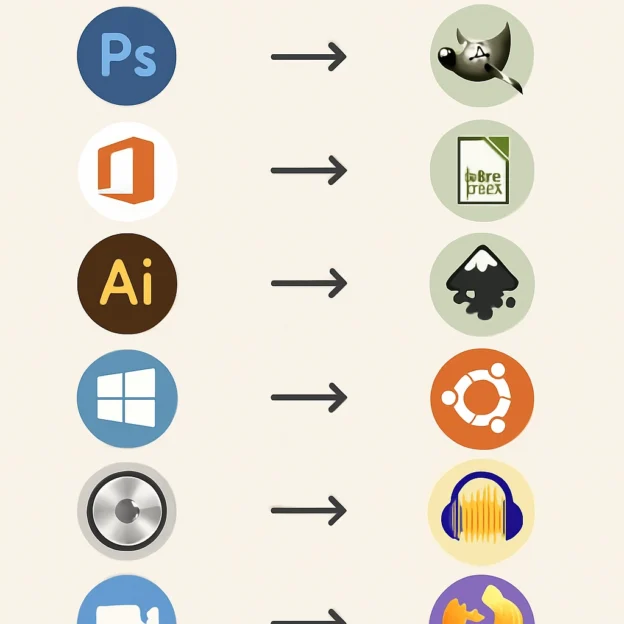
The Top Open Source Alternatives to Proprietary Software
In a world dominated by proprietary software, the phrase “open source” often pops up as more than just a buzzword. It’s a movement driven by the idea that software should be accessible, modifiable, and shareable—values firmly rooted in community collaboration and innovation. If you’ve ever felt overwhelmed by the licensing fees and restrictive limitations of proprietary programs, you’re not alone! In this post, we’ll explore some fantastic open source alternatives to popular proprietary software that can help you save money while enjoying greater flexibility. Whether you’re a casual user or a tech-savvy guru, there’s something here for everyone.
The Office Suite You Need: LibreOffice vs. Microsoft Office
Microsoft Office is a staple in many workplaces, but the subscription pricing can be steep. Let’s have a look at LibreOffice. This powerful office suite includes all the essential apps you’d expect—Writer, Calc, Impress, and more—all without costing you a penny. You can not only read and edit Microsoft Office files but also save your documents in various formats. With all the features you’d need for typical office tasks, LibreOffice has become a go-to for professionals and students alike.
Image Editing Done Right: GIMP vs. Adobe Photoshop
If you’re a budding graphic designer or just someone who enjoys editing photos, you know how pricey Adobe Photoshop can get. Fear not—GIMP (GNU Image Manipulation Program) is here to save the day! This open source image editor carries many of the same powerful features as Photoshop, including layers, filters, and customization options. Plus, there’s a huge community of users who create tutorials, so you can learn your way around in no time. Whether you need to touch up a photo or create stunning visuals, GIMP has you covered.
Video Editing Made Easy: DaVinci Resolve vs. Shotcut
For those interested in video editing, DaVinci Resolve is a robust, professional-grade software used by filmmakers globally. However, the learning curve can be steep, and the price can also deter many. Enter Shotcut, an open source video editor that offers a user-friendly interface with plenty of features to create polished videos. The vast array of filters and effects makes it easy to elevate your editing game without breaking the bank.
The Web Browser Battle: Google Chrome vs. Firefox
When it comes to web browsing, Google Chrome may reign supreme in terms of population, but it also raises concerns about privacy and data tracking. Mozilla Firefox, on the other hand, champions user privacy and transparency. With robust customization options and a wide array of extensions available, Firefox can be tailored to suit your browsing needs. Plus, it’s an open source project that continually evolves thanks to a dedicated community of developers and users.
Communication Made Simple: Slack vs. Mattermost
For team collaboration, apps like Slack have taken the business world by storm. However, for those conscious of costs or looking for more control over their data, Mattermost offers a fantastic solution. This platform takes the collaborative features we love—like chat channels and file sharing—and makes them available as self-hosted, open source software. You can set it up on your terms, keeping sensitive information secure while enjoying features similar to those of commercial products.
Project Management Made Efficient: Trello vs. Taiga
Keeping track of tasks and projects can get chaotic with proprietary tools like Trello, especially when faced with limitations on free plans. Taiga offers an open source project management solution that is packed with features, including boards, lists, and user stories. It’s user-friendly and customizable, making it great for teams of any size. Whether you’re in agile development or traditional project management, Taiga is a worthwhile alternative.
Operating Systems that Empower: Windows vs. Ubuntu
When it comes to operating systems, there’s no denying the dominance of Windows. But if you’re feeling a bit adventurous, look into Ubuntu or other Linux distributions. As an open source operating system, Ubuntu provides a customizable experience that’s user-friendly, making it great for newcomers. A vast library of free software, strong community support, and a focus on privacy make Ubuntu a compelling alternative for those ready to make the switch.
Whether you’re a seasoned tech enthusiast, a casual user, or just someone exploring alternatives, the open source software ecosystem is bursting with options. By embracing these alternatives, you can not only save money but also become part of a community that values transparency, innovation, and collaboration. So, why not dive in and discover which open source tools will best meet your needs? Your wallet (and perhaps your peace of mind) will thank you!